Why Does SSL Certificate Renewal Fail?
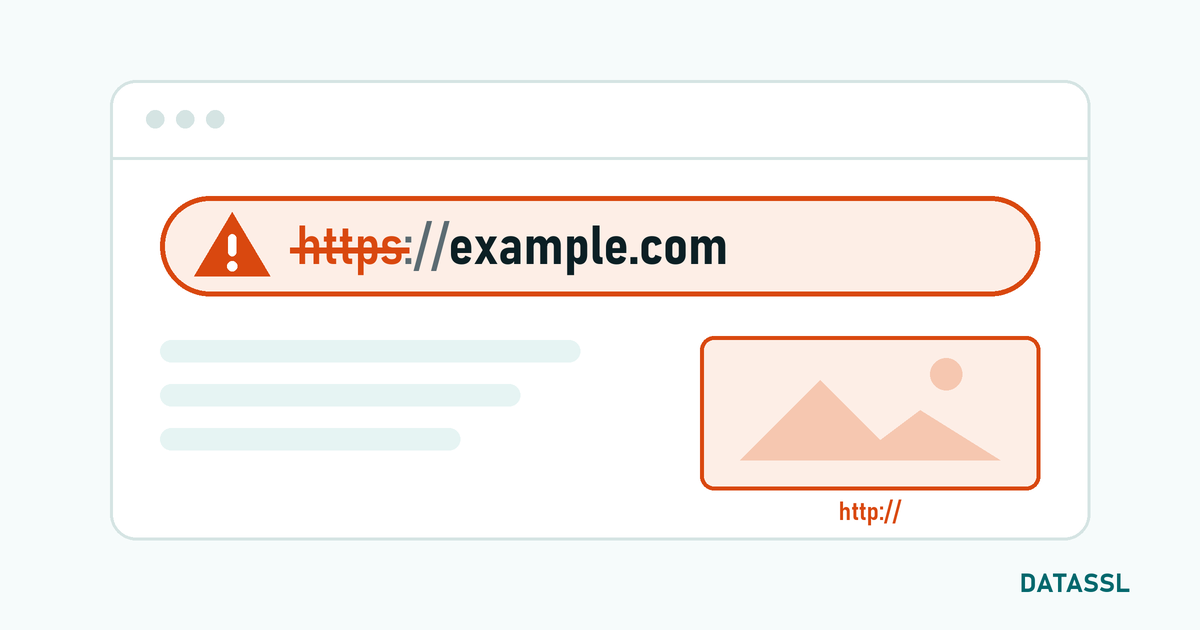
SSL certificate renewal errors are one of the most stressful moments for website owners. When the certificate expires, browsers block access to your site and a "Your connection is not private" warning is displayed to all your visitors. In this article, we will discuss common errors encountered during the renewal process and their solutions.
Since 15 March 2026, the SSL certificate duration is limited to a maximum of 200 days (previously 398 days). Therefore, the renewal process is now a critical task that is repeated more than once a year. Under the CA/Browser Forum decision, this period will decrease to 100 days on 15 March 2027 and to 47 days on 15 March 2029 — renewal automation is no longer a luxury, but a necessity
1. DCV (Domain Control Validation) Errors
Problem
When renewing the certificate, domain name verification (DCV) must be performed again. If any of the email, DNS, or HTTP verification methods fail, the certificate cannot be issued.
Common DCV Errors
- DNS TXT record propagation:The new DNS record has not yet been propagated to all nameservers (may take up to 48 hours)
- HTTP validation file cannot be accessed: Path
.well-known/pki-validation/is blocked by firewall or redirect rules - Email verification: admin@, webmaster@, postmaster@ addresses are not accessible or the email is blocked by spam filter
- CAA record mismatch: CAA record in DNS does not allow certification authority
- DNSSEC verification error: DNSSEC signatures are out of date and DNS queries cannot be verified
Solution
- For the DNS method: Add the TXT record and check propagation with
nslookup -q=TXT _dnsauth.domain.com - For the HTTP method: Test that the verification file is directly accessible. Check redirects and WAF rules
- CAA check: Check existing records with
dig CAA domain.comand add your CA if necessary - If possible, choose DNS CNAME verification — it is installed once and works automatically on all renewals
2. CSR (Certificate Signing Request) Errors
Problem
Creating a new CSR during renewal is recommended for security purposes. However, mistakes can be made during the CSR creation process.
Common CSR Errors
- Domain name mismatch: The Common Name (CN) in the CSR and the domain name where the certificate will be used are different
- Weak key length: 1024-bit RSA keys are no longer accepted; minimum 2048-bit required
- Private key loss:The private key file was lost or deleted after the CSR was created
- Wrong algorithm: Some older systems may not support ECDSA
Solution
- Enter your domain name correctly and completely when creating CSR
- Use a minimum of 2048-bit RSA or 256-bit ECDSA key
- Back up the private keyin a safe location
- Verify the information by decoding the CSR:
openssl req -in csr.pem -noout -text
3. Certificate Chain Errors
Problem
Missing intermediate certificates or installing them in the wrong order during new certificate installation is one of the most common post-renewal problems. The certificate may have been renewed successfully but was not installed correctly.
Symptoms
- It works on desktop browsers but gives errors on mobile devices
- There is no problem in Chrome, but it shows a warning in Firefox
- API requests fail with curl:
SSL certificate problem: unable to get local issuer certificate
Solution
- Download the up-to-date CA Bundle file from your certificate provider
- Create the certificate chain in the correct order:
cat site.crt intermediate.crt > fullchain.crt - Verify chain with Online SSL Checker
- Nginx:
ssl_certificate fullchain.crt;| Apache:SSLCertificateChainFile intermediate.crt
4. Automatic Renewal Issues
Let's Encrypt / Certbot Errors
- Port 80 is closed: Port 80 must be open for HTTP-01 challenge
- Rate limiting: Limit of 5 certificates per week (for the same domain set)
- Webroot access problem: Certbot does not have permission to write to
.well-known/acme-challenge/directory - DNS API integration is broken: Cloudflare/Route53 API key is invalid or permissions have changed
Commercial Certificate Automatic Renewal
- ACME protocol: CAs such as Sectigo and DigiCert offer ACME support — Commercial certificates can also be automatically renewed with Certbot
- Panel integrations:Hosting panels such as cPanel and Plesk offer automatic renewal modules
- API-based renewal: You can write your own automation script with your certificate provider's API
5. Wildcard and Multi-Domain Renewal Exceptions
Wildcard SSL Renewal
DNS-01 challenge must be used when renewing wildcard certificates (HTTP verification is not valid for wildcard). If there is no DNS API integration, the TXT record must be updated manually at each renewal.
Multi-Domain (SAN) SSL Renewal
For SAN certificates, upon renewal, all domain names must pass DCV verification. If even one domain name cannot be verified, the certificate is not issued for any domain name. Remove domains that are no longer in use from the SAN list before renewal.
Refresh Failure Emergency Response Plan
- Check the current certificate duration:When exactly does it expire?
- Workaround: If expired, purchase a fast DV SSL (issued in minutes)
- Identify the root cause:Whether DCV, CSR, chain, or server configuration issues?
- Renew the master certificate: Renew your master certificate after resolving the issue
- Set up automation: Activate automatic renewal and expiration alerts to avoid the same problem again
SSL Certificate Expiration Tracking Checklist
| Task | Frequency | Tool |
|---|---|---|
| Certificate expiration date check | Weekly | SSL Checker, Uptime Robot |
| Automatic renewal test | Monthly | Certbot --dry-run |
| Certificate chain verification | Every renewal | SSL Labs, OpenSSL |
| CAA registration check | Every 3 months | dig CAA domain.com |
| TLS configuration test | Every refresh | Mozilla Observatory |
Conclusion
SSL certificate renewal errors can be largely prevented with a proactive approach. Setting up an automatic renewal mechanism, choosing the DCV method correctly and loading the certificate chain completely — these three steps solve most renewal problems. With the certificate period decreasing to 47 days in 2029, automation will no longer be a choice but a necessity.